Do you teach French as a second language? The content of Typing Pal’s School Edition is offered not just in English but in French, too. This means you can grant students access to all exercises, training texts, Word Waves and games in French. It’s also a great opportunity to give an extra challenge to students who finish the English program early.
How This Benefits Students
If you’re adding typing activities to your French class, you’re providing students with engaging material that strengthens their French-language knowledge. At first, these exercises and activities will mostly help them improve their typing skills, like learning to type accented letters such as é, ç and à. It will eventually also represent an opportunity for students to learn and practice their French. Lists of common and useful words will enrich their vocabulary, while Word Waves will demonstrate how words are pronounced.
Typing Pal’s French content can be useful even outside French classes. Perhaps you’re looking to vary the content of your typing lessons or would like to organize a special activity related to French. Some students may get ahead and complete the English content early. Giving them access to French-language activities provides them with a new source of motivation. There’s a whole array of activities they have yet to do, which encourages them to practice. They get new challenges, too, like becoming familiar with a foreign language and learning to type accented letters.
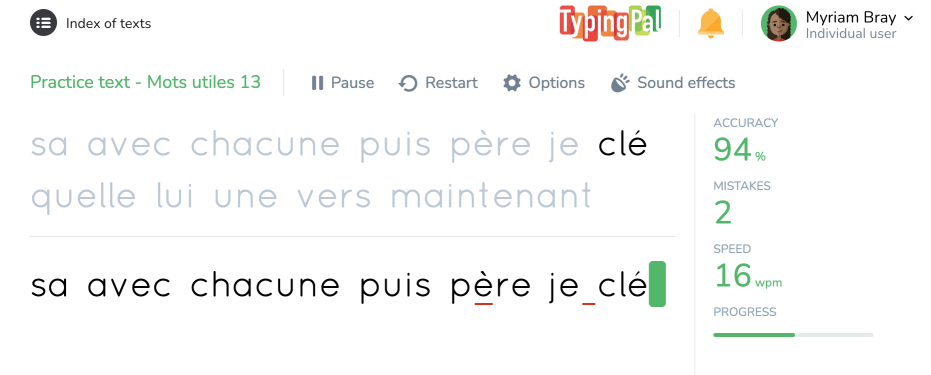
Example of a French training text
How to Add the Second Language
Giving students access to the content in French is as easy as ABC. First, you need to create a new group and set up the language of activities.
Important — Each group has one language of activities. If you change it, the group will no longer have access to activities in the original language or their progress. Therefore, to grant students access to a second language, you need to create a separate group rather than replace the original group’s language of activities.
Then, you need to add students to the group, and lastly, let them know how to access the French content.
A. Creating a New Group and Selecting the Language
-
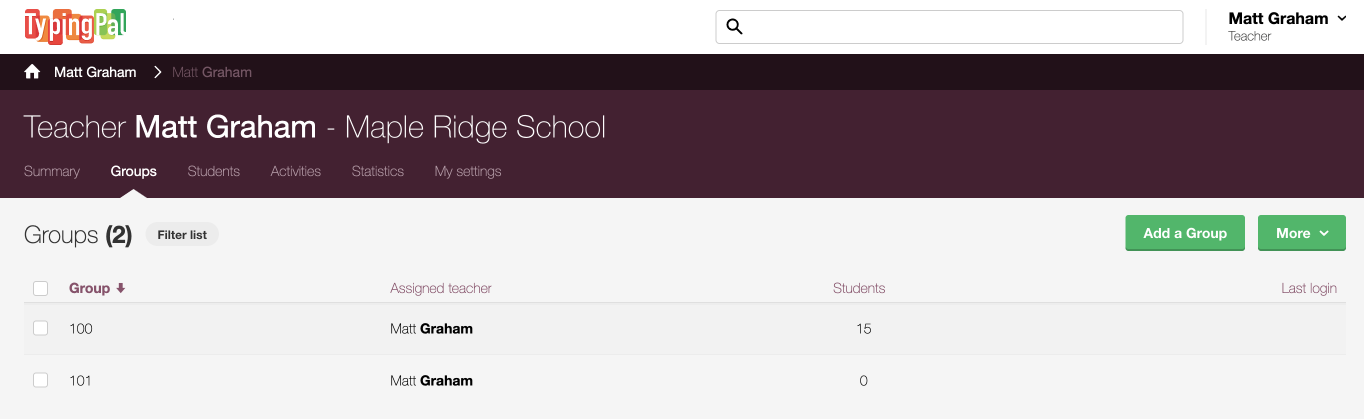
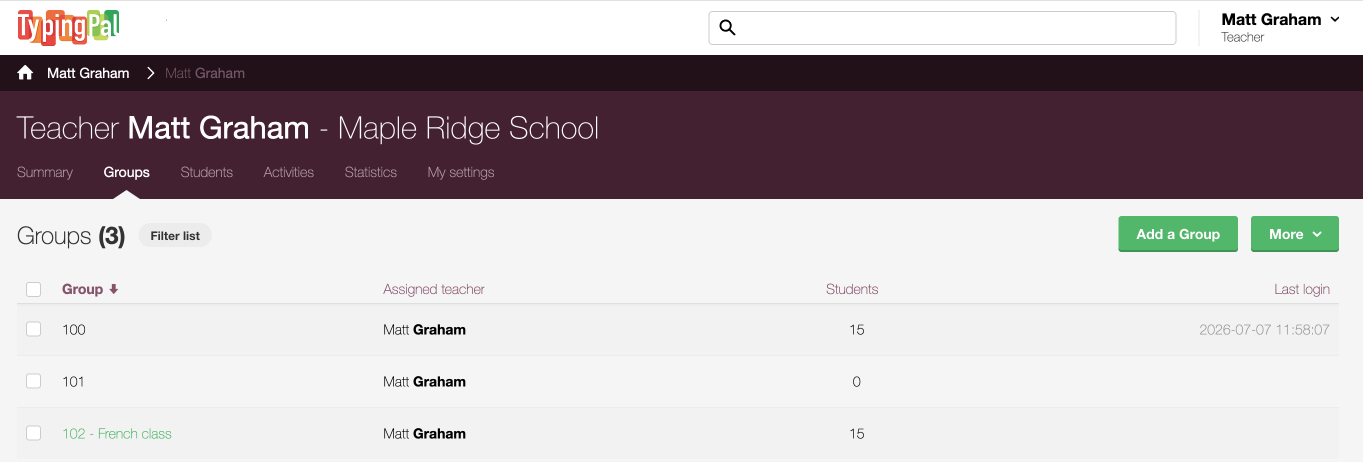
In the management interface, go to the Groups tab.
-
Click the Add a Group button.
-
 12
12
-
-
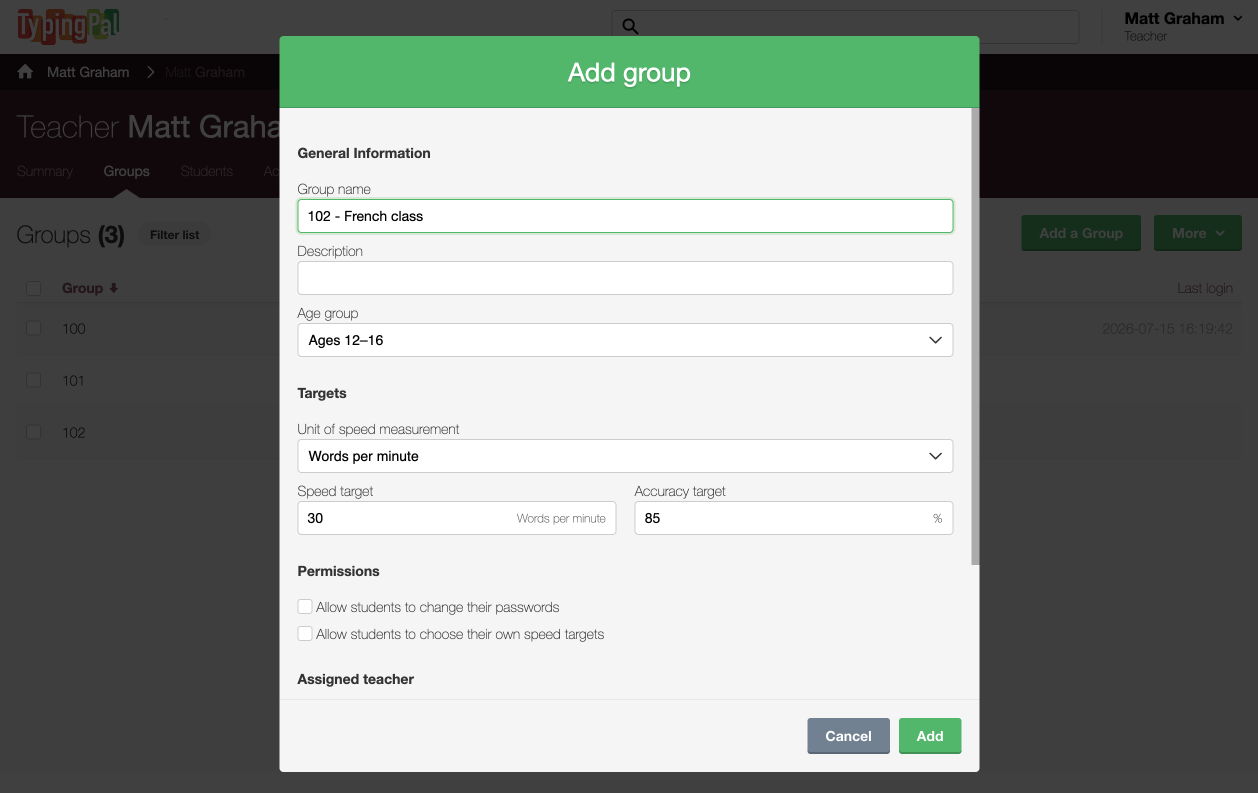
Name the group and fill out any other necessary information.
-
Click Add.
-
 34
34
-
-
Click the new group.
-
 5
5
-
-
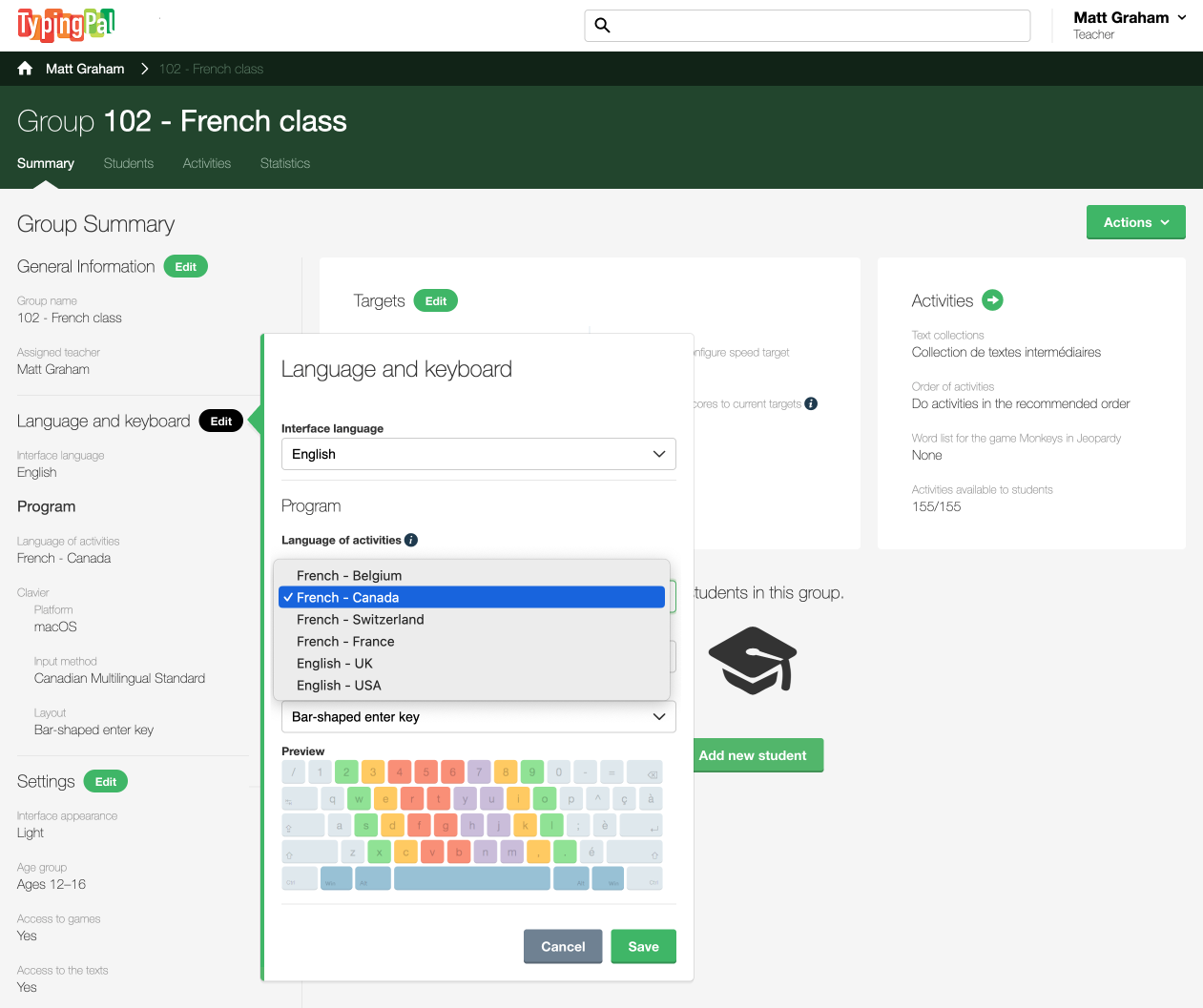
In the Language and keyboard section of the Group Summary, click the Edit button.
-
Under Program, select the national variety of French you want from the Language of activities drop-down menu.
-
Click Save.
-
 678
678
-
B. Adding Students to the Group
-
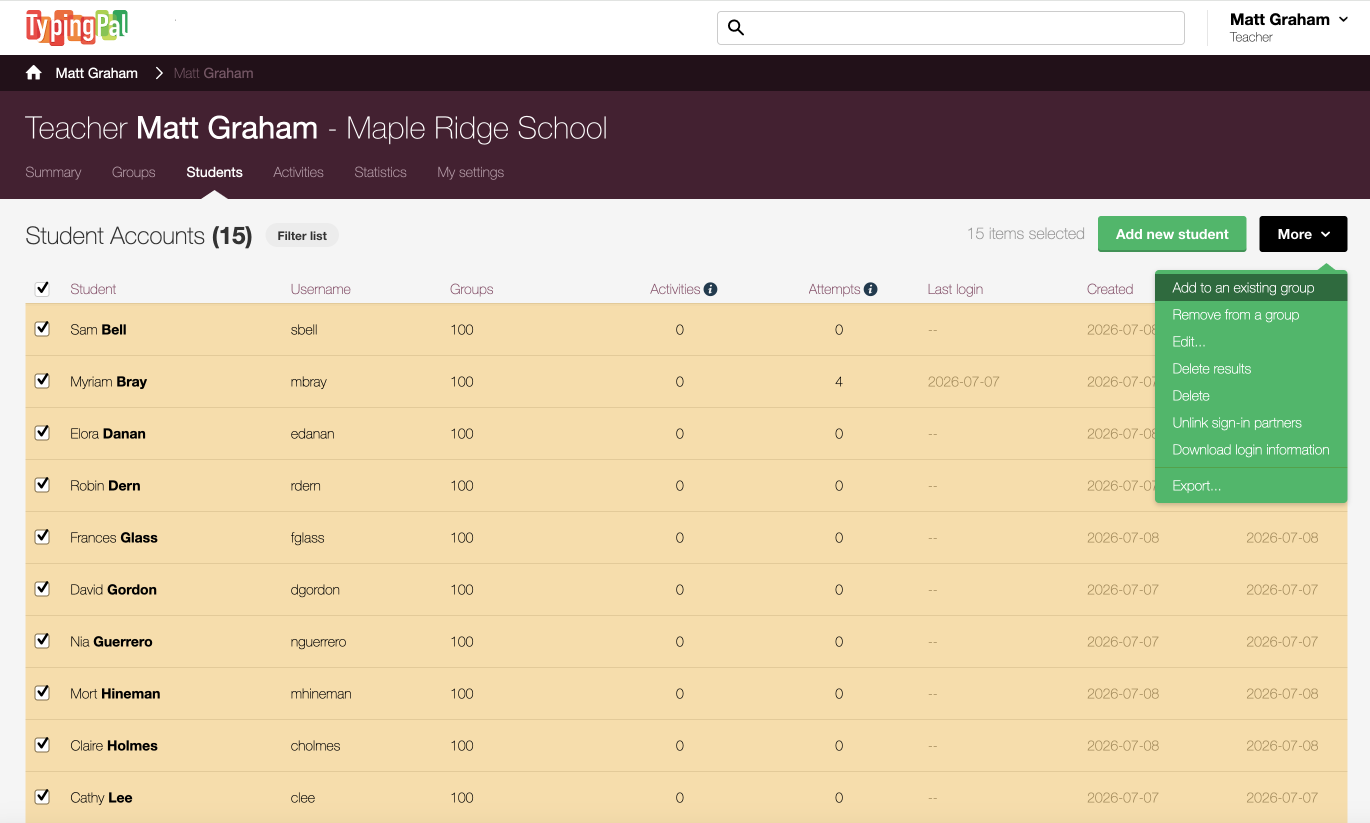
Go to the Students tab.
-
Select all the students you want to include in the French group.
-
Click the More button.
-
Click Add to an existing group.
-
 1234
1234
-
-
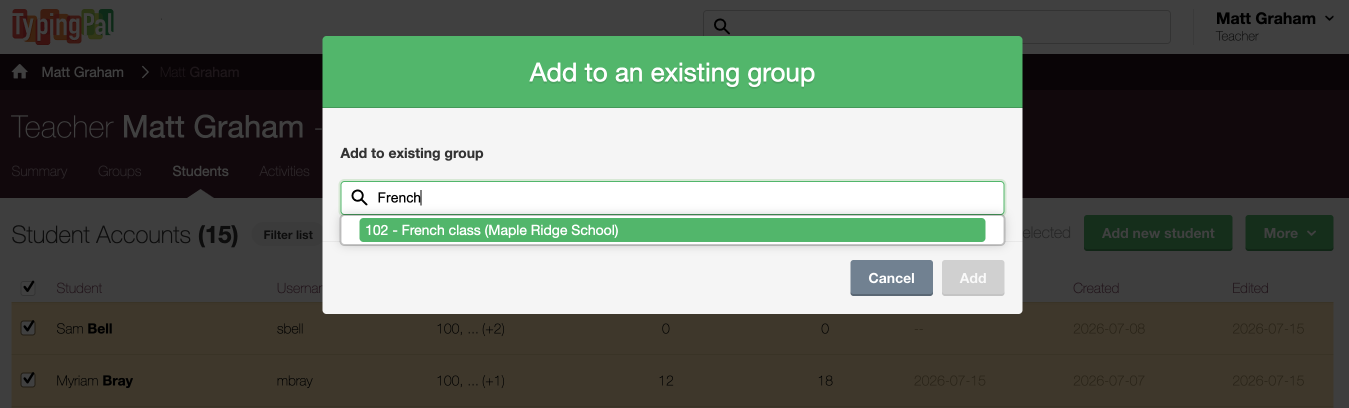
Start typing the group name, then select it once it appears.
-
Click the Add button.
-
 56
56
-
-
Click OK.
-
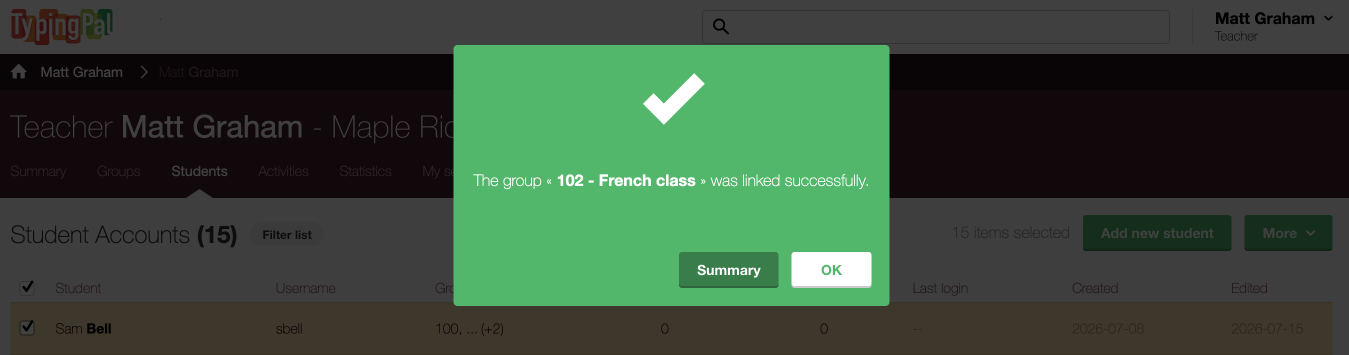 7
7
-
C. Showing Students How to Access the Group
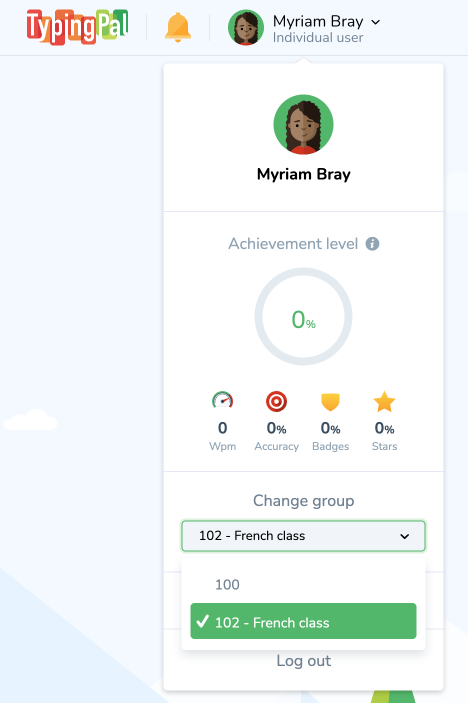
Your students can now try out all the exercises, texts, Word Waves and games in French! To do so, they have to select the applicable group after they log in.
- They need to click their name at the top right of their screen.
- Then, they need to select the French group from the Change group drop-down menu.
-
 12
12
The app will refresh, and they can explore the French content.
Bonus Challenge
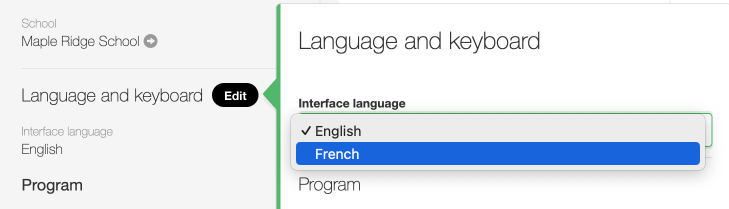
Why not go one step further and change the language of the interface so students are fully immersed in this other language? To do so, select French as the Interface language in the Language and keyboard section of the Group Summary.
That’s it! You can now use Typing Pal in your French-language classes and help students learn a second language. Bon voyage through this new journey!